


How to Adjust Office Chair Seat Depth for Better Comfort and Thigh Support
 ErgoHuman Staff26 October 20267 Mins read
Sitting down at your desk and feeling the front edge of the seat press into the back of your knees is a surprisingly common problem. It is also one of the easiest to fix. If you have been wondering how to adjust office chair seat depth, the short answer is this: slide the seat pan so you can sit fully back against the backrest with a small gap, roughly two to three fingers wide, between the seat edge and the back of your knees. The aim is to fit the chair to your body, not to force your body to fit the chair. The rest of this guide shows you how to do that, step by step.
What Is Office Chair Seat Depth?
How Seat Depth Is Measured
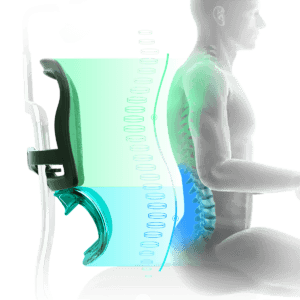
Seat depth is the distance from the front edge of the seat to the point where the seat meets the backrest. It tells you how much of your thighs the cushion can support when your back is against the chair. If you want a broader look at how chairs are sized, our guide to office chair dimensions and seat measurements covers the full set of figures, including those that affect desk and room fit.
How It Differs From Seat Height and Seat Width
These three measurements are easy to confuse. Seat height is the distance from the floor to the seat surface, and it decides whether your feet rest flat and your forearms sit level with the desk. Seat width is the side-to-side space for your hips. Seat depth works front to back, and it determines how your thighs are supported and whether your back can reach the backrest comfortably.
Why an Adjustable Seat Pan Is Useful
Some chairs let you slide the seat pan forward or backward. This matters because people have different thigh lengths, and two people of the same height can need quite different seat depths. A shorter-legged person on a deep, fixed seat often has to perch forward, away from the backrest. A taller person on a shallow seat can feel that the thighs are hanging unsupported. An adjustable seat depth office chair lets one design suit a wider range of bodies.
Why Correct Seat Depth Matters
Backrest Contact and Thigh Support
Your backrest and your seat work as a pair. If the seat is too deep, you either slide forward and lose contact with the backrest, or you sit back and the seat edge presses into your legs. If the seat is the right depth, you can sit back, let the backrest do its job, and have the weight of your thighs spread across the cushion. That spread of support is what people mean by good office chair thigh support.
What Happens When the Seat Is Too Deep or Too Short
When an office chair seat is too deep, the front edge reaches the back of your knees. You may notice pressure there, find yourself hunting for a more comfortable position, or give up on the backrest altogether. When an office chair seat is too short, the cushion ends well before your knees, so much of each thigh is unsupported. Many people feel perched or unstable in that position, and some end up shifting more than they would like.
These are comfort observations rather than medical promises. Seat depth is one part of a good setup, and it will not on its own resolve pain or circulation concerns. If you have ongoing discomfort, it is worth speaking with a health professional as well as reviewing your workstation.
How to Adjust Office Chair Seat Depth Step by Step
Find the Seat Depth Control
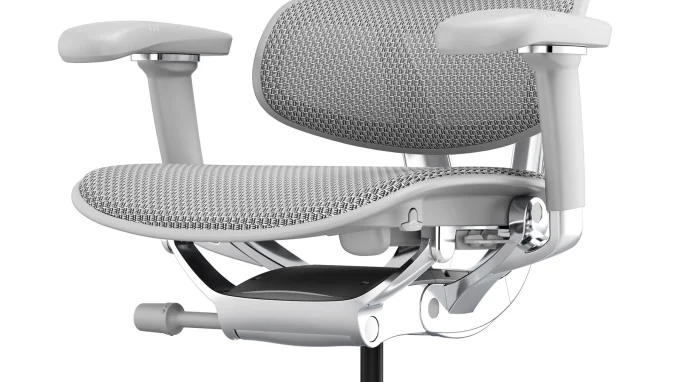
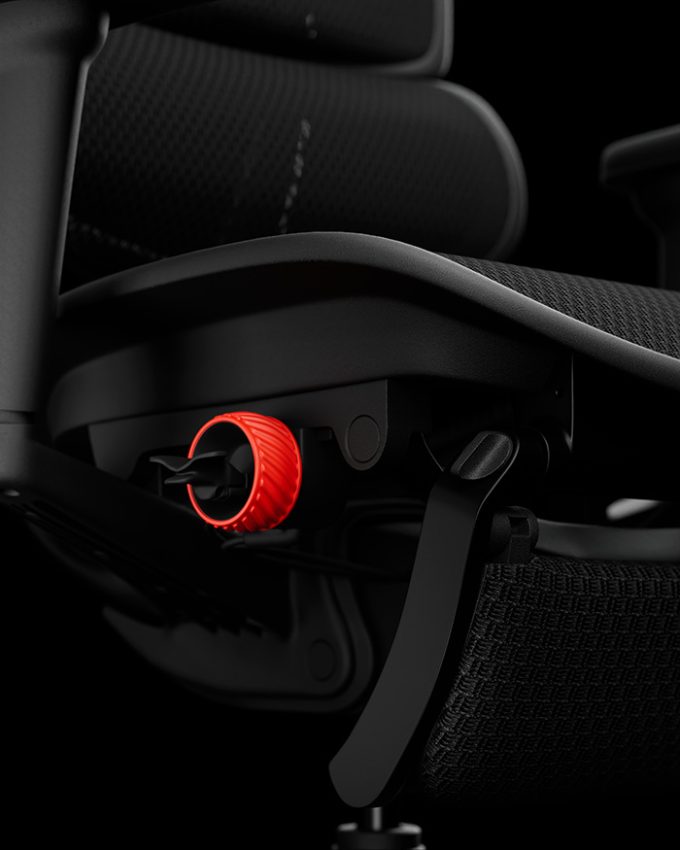
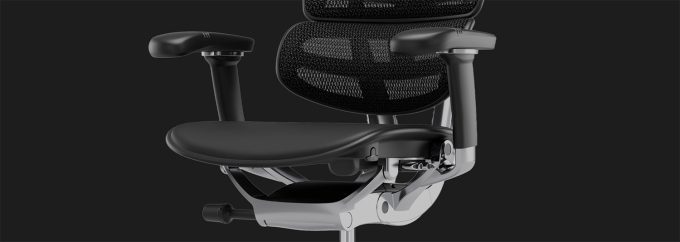
Adjustment methods differ between chair models, and not every chair has a sliding seat. Look underneath the front or sides of the seat for a lever, handle or knob, and check whether the seat pan moves at all. Do not assume a lever sits in the same place on every chair. If you cannot find it, the Ergohuman chair assembly and adjustment instructions are the best place to confirm how your particular model works.
Adjust the Seat Safely
Once you know where the control is, the process is straightforward.
- Stand up, or take your weight off the seat so the mechanism can move freely.
- Operate the control as shown in the instructions for your chair, then slide the seat pan forward or back.
- Release the control so the seat locks into position, and give it a gentle push to confirm it has secured.
- Sit down fully against the backrest and check the fit using the guide below.
Move in small steps. A change of a centimetre or two is often enough, and it is easier to refine a setting than to undo an overcorrection.
How to Find the Correct Seat Depth
Sit Back and Check the Gap
Sit with your hips right back in the seat so your lower back is supported by the backrest, with your feet flat on the floor or a footrest. Then slide your fingers between the front edge of the seat and the back of your knee. A gap of about two to three fingers is a useful starting point for correct office chair seat depth. That is a guideline rather than a rule, so individual fit and the manufacturer’s guidance may vary.
Recognise a Seat That Is Too Deep or Too Short
If you cannot fit your fingers into the gap, or you feel pressure behind your knees, the seat is probably too deep. Slide it back towards the backrest. If the gap is much larger than three fingers and your thighs feel unsupported, the seat may be too short, so move it forward. Keep adjusting in small steps until the seat feels supportive and you notice no pressure behind your knees. Then use the chair for a while, because a setting that feels fine for a minute can feel different after an hour at your desk.
Common Seat Depth Adjustment Mistakes
Adjusting While Sitting Incorrectly
Many people adjust the seat while slumped or perched forward, then find the setting is wrong when they sit properly. Always check the fit with your hips fully back against the backrest, because that is how you will use the chair for most of the day.
Moving the Seat Too Far Forward
It is tempting to push the seat forward for more thigh coverage. Go too far and the edge sits against the back of your knees again. If you notice that happening, bring the seat back until you have your two to three fingers of clearance.
Going by Height Alone
Overall body height is a poor guide to seat depth. Thigh length varies from person to person, so two people of similar height can need different settings. Use the fit check rather than a chart.
Ignoring Foot Support and the Backrest
If your feet dangle or the chair is too high, you may slide forward without noticing, and that changes how the seat feels. Make sure your feet are supported and your backrest angle is comfortable before you judge the depth. To correct any of these mistakes, return to a proper seated position, reset each adjustment in turn, and check the fit again.
What If Your Office Chair Does Not Have Adjustable Seat Depth?
Assess the Fit of a Fixed Seat
Plenty of chairs have a fixed seat depth. You can still use the same test: sit fully back, check the gap behind your knees, and see whether your thighs feel supported. If the fit is close, small changes such as seat height and backrest position can improve comfort. Do not try to modify the chair or make improvised alterations to its seat or frame, because that can make it unsafe.
When Another Chair May Suit You Better
If a fixed seat is clearly too deep or too short for you, a different size or model is likely to help more than workarounds. Before buying a replacement, check the seat dimensions as well as the look and price, and compare them against your own measurements. A chair that is comfortable to look at but wrong in the seat is an expensive disappointment.
How Seat Depth Works With Other Chair Adjustments
Seat Height and Desk Height
Seat height sets where your feet and forearms sit relative to the desk. If the chair is too high or too low, you will tend to slide forward or hunch, which changes how your seat depth feels. Set your seat height first, then confirm that your desk height allows relaxed shoulders and forearms roughly level with the keyboard.
Backrest, Lumbar Support and Overall Setup
Seat depth lets you sit properly against the backrest, and the backrest then supports your back. If you want to understand how lumbar support works on an ergonomic chair, it helps to know that lumbar support only works well when you can sit back against it. That is why seat depth and lumbar adjustment belong together. Our guide to ergonomic office chair adjustment features shows how these controls fit together on Ergohuman chairs.
Treat ergonomic office chair adjustment as a sequence rather than a single change. Set the seat height, then the seat depth, then the backrest and lumbar position, and finally check your desk. If you are learning how to adjust an ergonomic office chair for the first time, working through it in this order makes each step easier to judge.
When Should You Consider an Office Chair With Adjustable Seat Depth?
Who Benefits Most
Adjustable seat depth is particularly useful for people whose leg length makes fixed seats hard to fit, whether that means shorter or longer thighs than the chair was designed around. It also helps when several people share one workstation, or when you want a chair that can be refined as your setup changes.
Keeping Perspective in a Buying Decision
Adjustability is one factor among many. It will not matter if the chair does not fit your desk, your budget or your preferred seating style. Treat it as a useful feature to check alongside seat dimensions, backrest support and the other adjustments you rely on, rather than a feature that solves everything on its own.
Conclusion
Getting seat depth right comes down to a simple check: sit fully back, keep your feet supported, and leave about two to three fingers of space behind your knees. Adjust in small steps, recheck your seat height and backrest, and be willing to fine-tune over a few days. Take five minutes to review your setup, and if your chair has no adjustable seat depth, use the fit check to decide whether another size or model would suit you better.
Need Help Choosing or Adjusting Your Office Chair?
If you are unsure how your chair adjusts, or you would like help finding a model that suits your body and workspace, you can contact the Ergohuman Australia team. We are happy to explain the adjustments on our chairs and help you work out which one may be a good fit.


Office Chair Tilt Mechanisms Explained: Tilt Lock, Recline and Synchro-Tilt
The office chair tilt mechanism is the hidden part of your chair...
ErgoHuman Staff26 October 2026
What Is a 5D Armrest? A Complete Guide to Office Chair Armrest Adjustment
If you have shopped for an ergonomic office chair recently, you have...
ErgoHuman Staff28 September 2026
When Should You Replace Your Office Chair? 9 Signs It’s Time for an Upgrade
Most people do not think about their office chair until it starts...
ErgoHuman Staff25 September 2026
Is an Expensive Office Chair Worth It? What You’re Really Paying For
A $150 chair and a $1,500 chair can both claim to be...
ErgoHuman Staff22 September 2026




Leave a comment